
To make a strong password from words you can remember, pick six random words that have nothing to do with you, join them with a hyphen or space, and save the result in your password manager. Roll dice with the EFF wordlist, or let our password generator pick the words. Six words is far longer than the 16 characters CISA recommends.
A password made of several random words is called a passphrase. It is easy to type and remember, and it is hard to guess because the words are picked at random, not by you. Below are three ways to make one, how strong each is, and what to do when a site rejects it.
Before you start
- Decide what the passphrase is for. Use one for the few passwords you type from memory: your password manager, your computer, or your phone. For everything else, let a password manager create and fill a long random password.
- For Method 1 you need five ordinary dice (or one die rolled five times), a pen and paper, and EFF’s Long Wordlist.
- For Methods 2 and 3 you only need a browser. Our generator runs on your device and does not upload anything.
Do not pick the words yourself from your own life. Names, pets, birthdays, street names, favorite teams, song lyrics and famous quotes are exactly what attackers try first, and anyone who reads your social media can guess them. The strength comes from the randomness, not from how clever the words feel.
Method 1: Roll dice with the EFF wordlist
This is the method the Electronic Frontier Foundation (EFF) recommends, and it needs no computer to pick the words. EFF suggests six words for most uses.
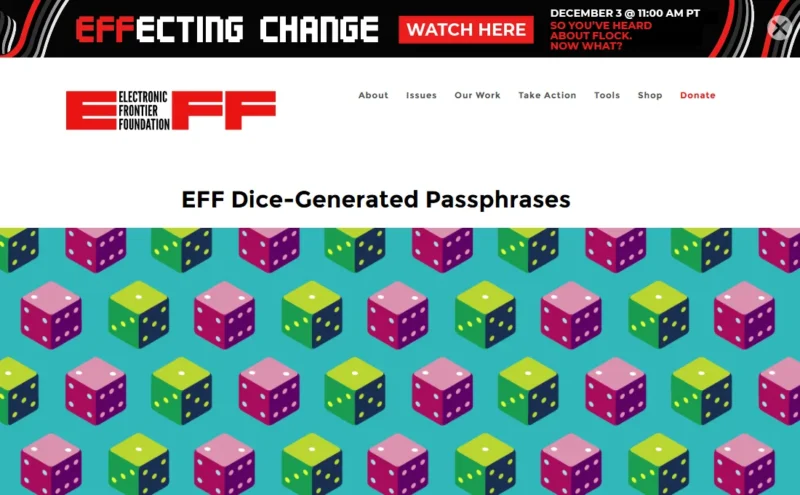
- Open EFF’s Long Wordlist from the EFF Dice-Generated Passphrases page. Each word sits next to a five-digit number.
- Roll five dice at once and write the numbers down from left to right, for example 4, 3, 4, 6, 3.
- Find that number in the list. In EFF’s own example, 43463 is panoramic. Write the word down.
- Repeat until you have six words. Keep them in the order you rolled them, for example panoramic nectar precut smith banana handclap.
- Join the words with a space or a hyphen (for example panoramic-nectar-precut-smith-banana-handclap) and save it in your password manager or use it where you need it.
Five dice give 7,776 possible results (6 × 6 × 6 × 6 × 6), so each word is one of 7,776. EFF says a six-word passphrase made this way is one of about 277 possibilities, which makes it very hard to guess by brute force. Don’t use these exact example words. Everyone who reads EFF’s page has seen them.
Method 2: Let a passphrase generator pick the words
If you don’t have dice, a generator that uses a secure random source does the same job in seconds. Our free password generator uses EFF’s short wordlist of 1,296 words and your browser’s secure random number generator.
- Open the password generator.
- Under What do you need?, choose Passphrase (easy to type and remember).
- Set Number of words. The default is 6, and you can choose 3 to 10. Use 6 or more for anything you type from memory.
- Choose what goes Between words: a hyphen, a space, a dot or nothing.
- Press Generate. If you don’t like the words, press it again. Then copy the result straight into your password manager.
Short-list words are easier to type but carry less strength each: about 10.3 bits per word, so six words come to roughly 62 bits. That is strong for a password you must remember. Add a seventh word if you want more.
Method 3: Start from words you already like
Some people remember a password better when part of it is theirs. That works as long as random words do the heavy lifting.
- In the password generator, choose Use my words.
- Type 1 to 6 everyday words in Your words, separated by spaces, such as pizza beach guitar. Avoid anything about you.
- Pick how many Random words to add. Three is the recommended minimum. Choose 4 or 5 if you will type this password from memory.
- Press Generate. The tool shuffles your words in with the random ones, adds symbols and a two-digit number, and shows the strength.
The strength figure counts only the random parts, because someone who knows you could guess your own words. With three of your words and three random words, the tool estimates about 59 bits.
How long should it be?
The Cybersecurity and Infrastructure Security Agency (CISA) says to make passwords at least 16 characters, random, and unique to each account. For memorable ones it suggests a passphrase of 4 to 7 unrelated words. The US National Institute of Standards and Technology (NIST), in SP 800-63B-4 (August 2025), tells services to require at least 15 characters when a password is the only thing protecting an account, and at least 8 when it is used with another factor. A six-word passphrase clears both easily.
More words beat extra symbols. Capitalizing every word adds almost nothing, because attackers try that too. If you want more strength, add another random word.
How to remember it
- Make a silly story. EFF suggests turning the words into a sentence or scene that reminds you of each word in order.
- Practice it. Type it a few times on the first day so you are not locked out the first time you need it.
- Write it down only if you need to, and store it safely. EFF notes that some people keep a written copy while memorizing it. Keep the paper somewhere safe, never next to the device or data it protects.
If it doesn’t work
The site won’t accept spaces
NIST says services should accept spaces, but not every site does. Join the words with hyphens or dots instead, or with nothing at all.
The site demands a number or symbol
NIST tells services not to force mixes of character types, but some sites still do. Add one number and one symbol between two words, for example a hyphen and a digit. In our generator, keep Add a number ticked.
The site has a short maximum length
Some sites cap the length below what six words need. Since you won’t type that password from memory anyway, switch the generator to Random password, set the length to the site’s maximum, and let your password manager store it.
You think a password was leaked
Make a new passphrase for that account and anywhere you reused the old one. Our guide on what to do if your password was leaked walks through the order to change things.
The best use of a passphrase is the master password for your password manager. Then you remember one strong phrase and let the manager create a different random password for every other site. Where an account offers passkeys, use them instead; our guide shows how to set up passkeys on Google, Microsoft and Apple accounts.
Our take
For the handful of passwords you must type yourself, six random words is the sweet spot between strength and memory. Rolling dice is the most transparent method, and a generator using a secure random source is just as good and faster. Starting from your own words is fine, but only if you add enough random words to carry the strength.
FAQ
Is a passphrase better than a complicated password?
For passwords you type from memory, yes. A random passphrase is long enough to be very hard to guess and much easier to remember than a jumble like a short mix of symbols. For logins your password manager fills in, a long random password is just as good and packs more strength per character.
How many words should my passphrase have?
Six is a good default. EFF recommends at least six words from its long list, and CISA suggests 4 to 7 unrelated words. Use six or more for a password manager or computer login, and add a word whenever you want more strength.
Can I use a line from my favorite song or book?
No. Lyrics, quotes and well-known phrases are not random, and attackers include them in their guess lists. Words picked by dice or a secure generator are what make a passphrase strong.
Do I need to change my passphrase every few months?
No. NIST tells services not to force regular password changes. Change it when there is a reason, such as a data breach, a phishing scare or signs that someone else signed in to your account.