
To join the One UI 9.5 beta, you need a Galaxy S26 series phone in a supported country (the U.S. is one) and a Samsung Account. Open the Samsung Members app, sign in, tap the One UI Beta Program banner or Beta card, and register. Once you’re enrolled, go to Settings → Software update → Download and install. Samsung opened the One UI 9.5 beta on November 17, 2026. Back up your phone first, because leaving the beta later means a full reset.
Below are the steps to join the One UI 9.5 beta and what Samsung says is new. You’ll also learn how to send useful bug reports and how to go back to the official software.
Is the One UI 9.5 beta out, and who can get it?
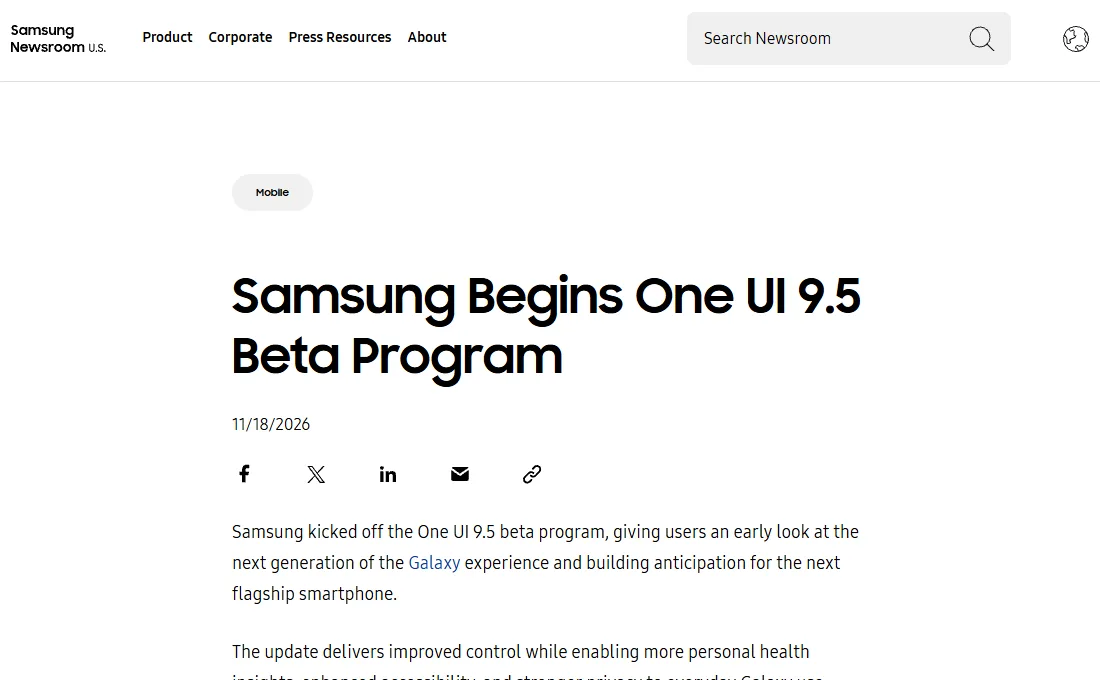
Yes. Samsung announced the program on November 18, 2026 and said it is available starting November 17 on the Galaxy S26 series. Samsung’s global newsroom says the beta is open to Galaxy S26 series users in select markets, including Germany, India, Korea, Poland, the U.K. and the U.S.
Samsung’s One UI Beta Program page adds a few limits worth knowing:
- The program is available only for specific devices, OS versions and countries, and compatible devices vary by country.
- It’s free, but you pay for any mobile data used to download the beta or upload error logs. Samsung recommends Wi-Fi.
- There’s no reward or payment for joining, and you agree to use the beta only for personal, non-commercial purposes.
Before you start
- A Galaxy S26 series phone and a Samsung Account. If you don’t have an account, Samsung says you can create one at account.samsung.com.
- The Samsung Members app, from the Galaxy Store or the Google Play Store.
- A backup on your computer. Samsung highly recommends backing up with Smart Switch for PC, because unexpected behavior in beta software can cause data loss.
- Updated apps. Samsung says to update all apps on the phone to their latest versions before you install the beta, to avoid compatibility issues.
Going back to the official software is not a simple undo. Samsung’s FAQ says the rollback with Smart Switch resets the phone and removes data created during beta testing. If you rely on your S26 for work, two-factor codes or banking, think twice before installing a first beta.
How to join the One UI 9.5 beta
- Open the Samsung Members app. Install it from the Galaxy Store or Google Play if it’s missing.
- Sign in with your Samsung Account.
- Find the beta entry point. Samsung says you can enter the Beta Program space through the home banner or the Beta card. Its FAQ also lists the Notice section, so check there if you don’t see a banner.
- Choose Registration for One UI Beta Program (or the One UI 9.5 beta test shown for your phone), then complete and submit the form saying you want to take part.
- If you meet the criteria, Samsung enrolls you in the program. You’re now a beta tester, but nothing changes on the phone until you install the update.
How to install the One UI 9.5 beta update
- Connect to Wi-Fi and make sure your apps are up to date.
- Open Settings → Software update → Download and install. You can also open the beta’s detail page under Participated Beta test in Samsung Members and tap Software update.
- Download and install the update like any other system update. When the phone restarts, you’re on the One UI 9.5 beta.
Samsung says beta updates roll out gradually, so you may not see the download right after you enroll. If you ever reset the phone while still enrolled, you can reinstall the beta the same way.
What’s new in One UI 9.5?
Samsung’s announcement highlights four areas. If you’ve been searching for “One UI 9 features,” these are the newest additions on top of One UI 9, which Samsung said in May is built on Android 17.
| Area | What Samsung says changes |
|---|---|
| Camera | Enhanced Pro and Pro video modes with customizable controls and presets, plus improved camera controls and a zoom bar that put key settings on one screen. Pro modes need a phone that supports them; Pro Lite and Pro Video Lite are excluded. |
| Samsung Health | A journaling space for free writing or guided prompts (called Mind Note in the U.S. newsroom post and Mindful Note in the global one), and Medications for adding prescriptions, vitamins or supplements with reminders and adherence tracking. Medications availability may vary by market. |
| Accessibility | A dedicated floating shortcut for frequently used controls, and hearing aid controls in the notification panel, including volume and which sounds (notifications, calls, alarms) go to the hearing aid. |
| Privacy | App Lock, which locks individual apps with biometrics or your screen lock. Notification content and widgets for a locked app stay hidden. |
How to report bugs so Samsung can use them
Feedback is the point of the beta, and Samsung’s page lists a few rules worth following:
- In Samsung Members, go to Participated Beta test → Beta feedback → Send feedback.
- Send the report within 3 minutes of the bug so the right log information is included.
- Don’t swipe Samsung Members away until it tells you the report was sent. Samsung says that can take up to 5 minutes.
For design ideas rather than bugs, use Participated Beta test → Beta community → Suggestions. Samsung notes the Beta community area is only open during the public beta period.
How to leave the beta and roll back
- Back up your phone to your computer with Smart Switch.
- In Samsung Members, go to Settings → Beta program settings → Withdraw from beta program.
- Connect the phone to your computer with a USB cable, open Smart Switch, and select Downgrade. This resets the phone to the previous release version.
- Restore your Smart Switch backup after the rollback finishes.
If you signed up but never installed the beta, Samsung says you can withdraw in Samsung Members and keep using the current official version, with no reset needed.
If it doesn’t work
Samsung Members says your phone is not eligible
During launch week, some S26 owners in Samsung’s U.S. Community reported this message even on U.S. phones with U.S. accounts. Samsung’s own page says the program covers only specific devices, OS versions and countries, so eligibility can depend on your exact model and software. Make sure your current software is fully updated, then check the banner again over the next few days.
You enrolled, but no update shows up
Samsung rolls beta updates out gradually. Check Settings → Software update again later, or open the beta’s page under Participated Beta test and tap Software update.
The install fails and the phone won’t start properly
Samsung’s FAQ says to visit the nearest Samsung Service Center for help resetting the device. This is the main reason to back up before you start.
Make your Smart Switch backup right before you install the beta, not days earlier. If you need to roll back, that backup is what you restore, so the newer it is, the less you lose. Moving to a new phone instead? Our guide to setting up a new Android phone walks through the basics.
Our take
The One UI 9.5 beta is a good fit for a spare phone or for people who like to send feedback and don’t mind a reset. If your S26 is your only phone, waiting for the official release is the safer choice; Samsung says it can’t give a date for that yet. If your battery seems to drain faster after any update, our guide to a Samsung battery draining fast walks through the usual fixes.
FAQ
Is the One UI 9.5 beta available for the Galaxy S25?
Not at launch. Samsung’s November 18 announcement names only the Galaxy S26 series. Samsung expanded the One UI 8.5 beta to more Galaxy devices in April 2026, so watch the Samsung Members app and Samsung Newsroom for any update that adds other models.
How much does the One UI beta cost?
Nothing. Samsung says there’s no cost to join, but you’re responsible for any mobile data used to download the beta or upload error logs, so connect to Wi-Fi first. There’s also no payment or reward for taking part.
Will I get the final One UI 9.5 update if I stay on the beta?
Samsung says you can keep using the beta and then update to the official release once it’s available. It hasn’t given a release date, saying it comes after beta feedback is analyzed and improvements are made.
Can I turn off Galaxy AI features on the beta?
Samsung’s announcement doesn’t mention changes to Galaxy AI settings in One UI 9.5. Our guide on how to turn off Galaxy AI covers the current settings.