
Yes, 1Password was hacked. On November 25, 2026, the company said an attacker got into some of its backend systems and copied account information for a subset of customers, including names and email addresses. 1Password says your vaults, the passwords inside them and the keys that protect them were not affected, and you don’t need to change anything in your account. The real risk now is phishing: be wary of any unexpected email, text or call about 1Password.
If you saw “1Password hacked” trending and wondered whether your passwords are out there, here’s the short version from 1Password’s own security incident update, plus a few optional steps from 1Password Support if you want extra peace of mind. Everything below was checked on those official pages on November 27, 2026.
What happened in the 1Password hack?
According to 1Password, it started investigating on November 19, 2026, after signs that an attacker had gained access to an employee’s corporate GitHub account. The attacker used that account to reach source code and push malicious code to backend services. That code downloaded administrative data about customers.
Add Being Tricky on Google:
The attacker also copied source code from private repositories and got into 1Password’s CI/CD system (the tools that build and ship its software). 1Password says its source code contains no customer data or user secrets, and that it has rotated every internal credential that may have been exposed. It plans to publish a full Root Cause Analysis in the coming weeks.
What data was taken, and what it means for you
Here’s each item 1Password lists as copied, with a plain-English note on what it means for a normal user:
| What was copied | What it means for you |
|---|---|
| Names and email addresses | Scammers may know you use 1Password and can email you by name. |
| Account and user IDs, account creation and last sign-in times | Not secret, but details like these can make a fake email look more convincing. |
| Public keys | Public by design. 1Password says this has no impact on your security. |
| Secure Remote Password (SRP) parameters | 1Password says these can’t be used to get into your account. |
| Tokens in some emailed invitation, provisioning and account recovery links | A token alone can’t open an account. It also needs an SSO sign-in or a code sent to your email. 1Password says the few users in this state were notified directly. |
| Other non-secret account metadata | Internal details such as version and file numbers. |
Not affected, per 1Password: your vaults and the items in them, the keys that protect your vaults, account recovery keys, and the 1Password apps and browser extensions. 1Password also doesn’t store your account password or Secret Key, so neither could be taken from its servers.
Is 1Password still safe to use?
1Password says it is designed so that a breach of its own systems can’t expose what’s in your vaults, because your vault data is encrypted with keys that only you hold. It says it found no internal evidence of account takeovers using the exposed tokens, and it brought in independent security experts to check its cleanup.
As a precaution, it also lengthened the codes in invitation and recovery emails from six digits to ten characters (letters and numbers), which it says makes guessing them practically impossible. Whether you keep using 1Password is your call, but based on what the company has published, your saved passwords were not part of the stolen data.
What to do now: watch for fake 1Password emails
Since the attacker has names and email addresses, the main risk is phishing. 1Password’s advice, in its own words, is to be cautious about unexpected emails, texts or calls that mention 1Password, invitations or account recovery. Use these checks:
- Ignore any request for your account password or Secret Key. 1Password says it will never contact you to ask for either one.
- Don’t sign in from a link. Only enter your details in the official 1Password app, or on the website after typing the address yourself.
- Be suspicious of invitations or recovery emails you didn’t start. If you didn’t ask to recover your account or join a team, don’t act on it.
- Question surprise Secret Key prompts. 1Password says you only need your Secret Key the first time you sign in on a new device or browser.
- Report anything odd to 1Password at support@1password.com.
A scam email that knows your name and when you last signed in can feel real. That’s exactly why it’s worth slowing down. Our guide on how to spot a phishing link shows what to check before you tap.
Optional: lock down your 1Password account
1Password says you don’t need to update anything. If you want an extra layer anyway, these steps come from 1Password Support and all start on 1Password.com: sign in, select your name in the top right, then select Manage Account.
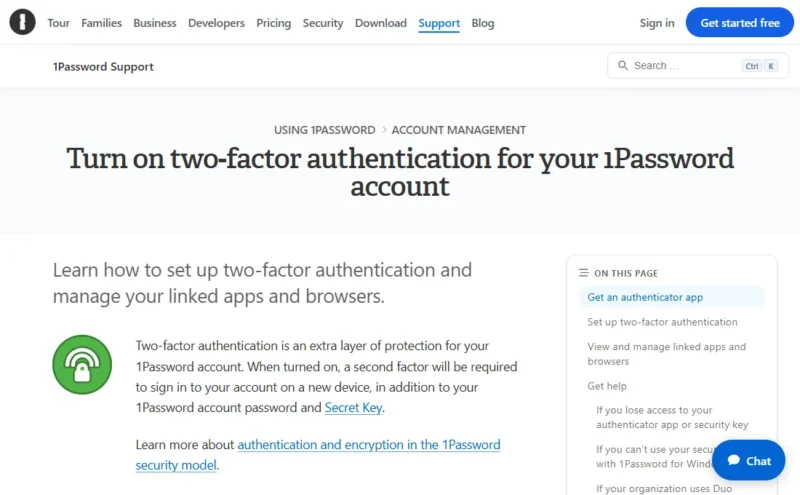
- Turn on two-factor authentication. Select More Actions > Manage Two-Factor Authentication > Set Up App, scan the QR code with an authenticator app such as Microsoft Authenticator, Authy or Okta Verify, then enter the six-digit code and select Confirm. Write down the 16-character secret shown next to the QR code as a backup. 1Password advises keeping these codes in a separate app, not in 1Password itself (source).
- Check linked apps and browsers. On the same Manage Account page, select the gear next to any app or browser you don’t recognize. Choose Unlink to remove your account from it, or Require 2FA on Next Sign-in.
- Save a fresh Emergency Kit. Select Save Emergency Kit to download the PDF with your account details and Secret Key, then store it somewhere safe, like with your passport (source).
If you already clicked a suspicious link
If you typed your 1Password account password or Secret Key into a page you reached from an email or text, act now. Change your account password at Manage Account > Change Password (steps), then save a new Emergency Kit. If you think your Secret Key was exposed, select Manage Account > Regenerate Secret Key. Then tell 1Password at support@1password.com.
If a password you reuse elsewhere might be out there, our step-by-step guide on what to do if your password was leaked covers the next moves, and our free password leak checker can help you check.
Frequently asked questions
Were my 1Password passwords stolen?
No, according to 1Password. It says your vaults, the items in them and the keys that protect them were not affected. The attacker copied account details such as names, email addresses and non-secret metadata.
Do I need to change my 1Password password?
1Password says you don’t need to update anything in your account. It’s worth changing if you entered it on a fake site, or if you also use it for another account.
What happens if 1Password gets hacked?
1Password says it is built so that a breach of its systems can’t expose your vault contents, because your data is encrypted with keys only you hold. This incident is an example: account details were copied, but vault data was not.
Is 1Password down today?
In its November 25, 2026 update, 1Password said its apps and services were working normally.
How did hackers get into 1Password?
1Password says the attacker gained access to an employee’s corporate GitHub account and used it to push malicious code to backend services. A full Root Cause Analysis is due in the coming weeks.