
The GTA 6 file size is up to 212 GB on PS5 and Xbox Series X|S, according to Rockstar’s support page. Sony’s advice is to clear at least 212 GB on your PS5 before downloading. On PS5, check your free space under Settings → Storage. On Xbox, press the Xbox button and go to Profile & system → Settings → System → Storage devices. The boxed copy has no disc, so physical buyers need the same space.
Grand Theft Auto VI launched on November 19, 2026. Its download is huge. If your PS5 or Xbox says there isn’t enough space, this guide covers the official numbers, where to see how much room you have, the fastest ways to free up space, and which extra drives can actually run the game.
How many GB is GTA 6 on PS5 and Xbox?
Rockstar’s installation requirements page says Grand Theft Auto VI “will require up to 212 GB of available space depending on your device.” The same figure appears in Rockstar’s pre-load FAQ, and the PlayStation Blog told PS5 owners to clear “a minimum of 212GB” of storage.
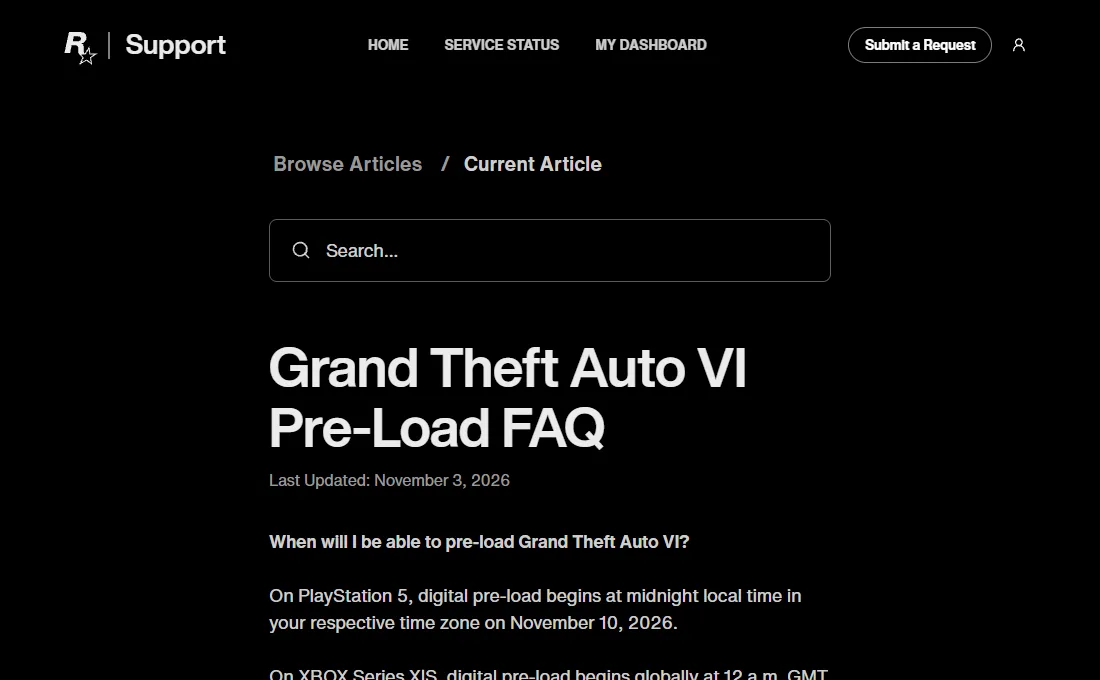
You may have seen other numbers online, like 750 GB, or leaked figures between 209 and 225 GB. Ignore them and plan for the official 212 GB. Leave a little extra room on top of that, because future game updates also need space to download.
| Question | PS5 | Xbox Series X|S |
|---|---|---|
| Space needed | Up to 212 GB | Up to 212 GB |
| Check free space | Settings → Storage | Profile & system → Settings → System → Storage devices |
| Can you play it from a USB drive? | No. PS5 games must be copied back to console storage or an M.2 SSD | No. Optimized for Xbox Series X|S games need the internal SSD or a Storage Expansion Card |
| Extra storage that can run it | An M.2 SSD in the expansion slot | Storage Expansion Card for Xbox Series X|S |
Does the physical copy save space?
No. Rockstar’s platforms and editions page says the physical version contains a download code, and “a disc will not be included in the box.” Whether you buy it boxed or from the PlayStation Store or Microsoft Store, the whole game downloads to your console. Rockstar also notes that PlayStation codes are tied to the region of your PlayStation account. A code bought in the U.S. works with a U.S. or Canadian account. Xbox codes aren’t region-locked.
How to free up space on PS5 for GTA 6
These steps come from PlayStation’s guide to managing PS5 storage.
- From the home screen, open Settings → Storage to see how much free space you have.
- Go to Console Storage → Games and Apps.
- Pick the games you don’t play right now and select Delete. You won’t lose them. PlayStation says you can re-download your purchases from your game library whenever you like.
- If a game shows Customize next to its title, you can delete only parts of it, such as add-ons you don’t use or sections you’ve finished, and keep playing the rest.
- Repeat until you have more than 212 GB free.
You can also delete games from your phone. Link your PS5 to the PlayStation App on iPhone or Android and manage console storage from there.
Worried about your saves? If you’re a PlayStation Plus member, upload them first under Settings → Saved Data and Game/App Settings, then select Saved Data (PS5) and choose Upload or Delete from Console Storage.
How to free up space on Xbox Series X|S for GTA 6
Xbox’s storage support page lists these steps:
- Press the Xbox button on your controller to open the guide.
- Select Profile & system → Settings → System → Storage devices. Each drive shows how much space is used and free.
- Select your internal drive, then View contents to see how much space each game uses.
- Highlight a game you don’t need, press the Menu button and choose Uninstall. To trim instead, choose Manage game and add-ons and untick add-ons you don’t use, then select Save changes.
- To keep a big game without deleting it, choose Move or copy and send it to an external drive.
Your progress isn’t lost when you uninstall. Xbox says game data such as saved games syncs online when you sign in, so it comes back when you reinstall. Also, Xbox consoles ship with 500 GB, 1 TB or 2 TB drives, but you’ll never see the full amount free, because some space is reserved for the system.
Can you install GTA 6 on an external drive?
You can store it there, but you can’t play it from a regular USB drive on either console. You need the console’s own fast storage or its official expansion option.
- PS5 with an M.2 SSD: PS5 games can be installed and played from an M.2 SSD in the expansion slot. PlayStation’s M.2 SSD guide asks for a PCI-Express Gen4x4 M.2 NVMe SSD of 250 GB to 8 TB, recommends a sequential read speed of 5,500MB/s or faster, and says not to use one without a heat sink or heat transfer sheet.
- PS5 with a USB drive: a USB extended storage drive (SuperSpeed USB 5 Gbps or later, 250 GB to 8 TB, no USB hub) is a parking spot. Move other PS5 games there to make room. To play a PS5 game, you have to copy it back to console storage or the M.2 SSD.
- Xbox Series X|S: games Optimized for Xbox Series X|S must be installed on the internal SSD or the Storage Expansion Card for Xbox Series X|S. A USB drive (128 GB or more, USB 3.0 or 3.1) can still hold your other games, which frees up the internal SSD for GTA 6.
If it still won’t download or start
- Xbox error 0x87e50036: Xbox’s help page says it means your internal storage needs more space to launch games and apps. Free up room with the steps above, then try again.
- Download stuck or failing: Rockstar points PS5 owners to PlayStation’s downloaded-game troubleshooting page, and Xbox owners to Xbox’s game installation troubleshooter.
- Want it to download overnight? For pre-loads, Rockstar said the PS5 needs auto-downloads turned on and the console on or in Rest Mode. An Xbox needs automatic updates turned on and the console on or in Sleep mode.
Is your phone out of space too? See our guide to freeing up storage on Android, or the one for when your iPhone storage is full.
GTA 6 file size FAQ
Is GTA 6 really 750 GB?
No. Rockstar says the game needs up to 212 GB of available space depending on your device. Treat bigger numbers you see online as unofficial.
Is GTA 6 the same size on PS5 and Xbox?
Rockstar gives one figure, up to 212 GB, and says the exact size depends on your device. Plan for 212 GB on either console.
Can I play GTA 6 without downloading it on Xbox?
Rockstar says GTA VI is available through Xbox Cloud Gaming on Xbox Series X|S and Xbox One consoles, using Xbox Series S graphics settings. It also notes that connection speed can affect how well cloud play runs.
Will I lose my saves if I delete other games?
On Xbox, saves sync online and return when you reinstall. On PS5, deleting a game doesn’t delete your purchase, and PlayStation Plus members can upload saved data to cloud storage first.
Sources
- Rockstar Games Support: Grand Theft Auto VI installation requirements (updated Nov 3, 2026)
- Rockstar Games Support: Grand Theft Auto VI Pre-Load FAQ (updated Nov 3, 2026)
- Rockstar Games Support: Grand Theft Auto VI Platforms, Editions, and Versions (updated Nov 18, 2026)
- PlayStation Blog: Grand Theft Auto VI pre-download begins November 10 (Nov 3, 2026)
- PlayStation Support: How to manage storage space on your PS5 console
- PlayStation Support: M.2 SSD storage on PS5 consoles
- PlayStation Support: USB extended storage on PS5 consoles
- Xbox Support: Manage storage on your Xbox console
- Xbox Support: Error 0x87e50036